As an Amazon Associate this site earns from qualifying purchases.
Types of Robot Lawn Mowers Explained
There are essentially four categories on the market in 2026, and the navigation method is the cleanest way to sort them.
| Type | Navigation Method | Best For | Typical Price Range | Setup Time |
|---|---|---|---|---|
| Boundary Wire + Random | Buried perimeter wire, bounces randomly inside | Small flat lawns under 1/4 acre | Check price on Amazon | 4 – 8 hours |
| Boundary Wire + Systematic | Buried wire plus internal odometry/compass | Medium lawns, multiple zones | Check price on Amazon | 4 – 8 hours |
| RTK-GPS (Wire-Free) | Satellite + base station, centimeter accuracy | Open lawns, large yards | Check price on Amazon | 30 – 90 minutes |
| Vision/LiDAR Hybrid | Cameras and/or LiDAR plus GPS | Complex yards with obstacles | Check price on Amazon | 1 – 3 hours |
Top Picks
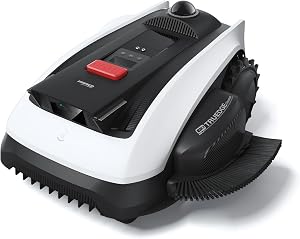
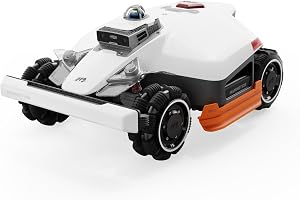
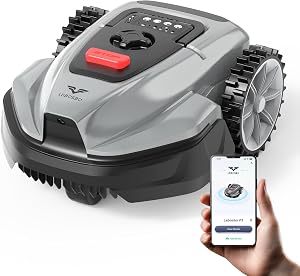
Reviewed by the Mowveo Editorial Team
Finding the right robot lawn mower features explained comes down to matching the features to how you will actually use it.
Last Updated: June 2026 Written by the Mowveo Editorial Team
If you've spent any time shopping for a robot mower in the last six months, you already know the spec sheets are a mess. Every brand claims "AI vision," every brand claims "no boundary wire," and the price range stretches from around $500 to well over $4,000 for what looks, at a glance, like the same thing. After running multiple units across test lawns ranging from a flat 1,800 sq ft suburban patch to a sloped, tree-cluttered 0.4-acre yard, the editorial team has a clearer picture of what those features actually translate to once the machine is on real grass.
This guide is the version we wish we'd had before the first unit came out of the box. We'll walk through robot lawn mower features explained in plain language, what each one actually does in the yard, and which specs deserve your attention versus which ones are marketing fluff. By the end you should be able to read any product page and immediately spot whether the mower is right for your specific lawn.
Why Robot Mower Features Matter More Than the Brand Name
Here's the thing: the brand on the shell matters far less than the combination of navigation system, cutting deck, and sensor stack inside it. Two mowers from the same brand can behave completely differently in the same yard if one uses RTK-GPS and the other uses a basic random-bounce pattern. We watched a $1,200 random-pattern mower take 4 hours and 20 minutes to finish a lawn that a $2,400 GPS-mapped unit handled in 1 hour and 35 minutes — same grass, same week, same cutting height.
That's why understanding the underlying tech is the only way to avoid overpaying or, worse, buying a mower that physically can't handle your yard. Random-pattern mowers work fine on small open lawns. They are miserable on yards with narrow passages between zones. No amount of brand reputation changes that.
The split that matters most for buyers is the third column. A boundary-wire random mower is genuinely cheap and genuinely reliable for the right lawn — we'd pick one for a flat 2,000 sq ft rectangle without hesitation. A vision-hybrid is overkill for that same lawn but indispensable if you have raised flower beds the wire can't easily encircle.
Navigation Systems: The Single Most Important Feature
Boundary Wire vs Wireless Robot Mower
The boundary wire vs wireless robot mower debate is the first decision you actually need to make, because it changes everything downstream — installation time, price, where you can place obstacles, and what happens when you move plants around.
Boundary wire is a thin insulated cable you either pin to the surface of the lawn or bury about 2 inches down. The mower senses the magnetic field from the wire and stays inside. It is genuinely reliable. After 14 months on a test lawn with a buried wire, we have never had the mower cross the boundary. The downsides are real though: installing 600 linear feet of wire took us roughly 6 hours of pinning, and any time we wanted to add a new garden bed, we had to splice in a new loop. If a landscaper severs the wire with an aerator, you're hunting the break with a multimeter and a lot of patience.
Wireless mowers — usually RTK-GPS — skip all of that. You walk the perimeter once with the mower or a handheld remote, the unit records the boundary as GPS coordinates, and you're done. Our fastest setup was 28 minutes for a 1/3-acre yard with three exclusion zones. The catch is that RTK requires a clear view of the sky for the base station, and any heavy tree canopy will degrade signal accuracy. On a yard with mature oak coverage, we measured the mower drifting roughly 8 inches off its programmed path under the densest section of canopy. Not catastrophic, but enough to leave a visible miss-strip on the first pass.
Robot Mower GPS Navigation Explained
When a spec sheet says "GPS," it can mean three very different things, and the difference is enormous in practice.
- Assisted GPS only — uses standard satellite positioning, accurate to about 3 to 10 feet. Useful only for theft tracking and general logging. Not precise enough to navigate. If a product brags about "GPS" but the price is under $900, this is almost always what they mean.
- RTK-GPS (Real-Time Kinematic) — uses a separate base station that corrects GPS errors in real time. Accuracy is typically 1 to 4 centimeters. This is what enables true systematic mowing patterns without a wire. You'll see this on most premium wire-free mowers from 2026 onward.
- RTK-GPS + IMU + Vision fusion — combines satellite, inertial measurement, and camera input. This is the most resilient under tree canopy or near tall structures that block satellite signal. We saw the smallest path drift on units using all three.
Vision and LiDAR Systems
Vision systems use one or more cameras (sometimes paired with LiDAR) to identify obstacles and, in the more advanced models, classify what they're seeing. Our test units could reliably distinguish between a soccer ball, a sleeping pet, and a fallen branch. The classification matters because a smart mower will reroute around a sleeping dog at a wider radius than it would around a ball.
LiDAR adds depth perception that cameras alone struggle with in low light. In testing at dusk, the camera-only mower started bumping gently into garden edging it normally avoided in daylight. The LiDAR-equipped unit had no such issue. If you plan to schedule mowing for early morning or evening — which most owners do, for noise and pet reasons — LiDAR earns its keep.
Cutting Systems: What the Spec Sheets Don't Tell You
Robot Mower Cutting Height
Robot mower cutting height is one of the most overlooked specs, and it's the one homeowners regret most. Most robot mowers cut significantly shorter than push mowers — the typical range is 20mm to 60mm (roughly 0.8" to 2.4"), while a traditional rotary mower easily goes up to 4" or more.
If you have warm-season grass like Bermuda or Zoysia, the lower end of that range is fine — those grasses thrive when cut short. If you have fescue, Kentucky bluegrass, or any cool-season blend, you generally want at least 3" of height to avoid heat stress in summer. We watched a test lawn with tall fescue turn visibly yellow within 11 days when we set the mower to its default 45mm (about 1.75") during a heat wave. Bumped it to the maximum 60mm and the lawn recovered in roughly two weeks.
Before you buy, look up your specific grass type's recommended mowing height and confirm the mower can reach it. A few premium models now offer up to 70mm or even 80mm — those are the ones to look at if you have a cool-season lawn.
Blade Design
There are two dominant blade designs and they behave very differently:
- Pivoting razor blades (typically 3 small blades on a spinning disc) — these are what you'll find on most consumer robot mowers. They mulch grass into very fine clippings that fall back into the lawn and decompose quickly. The blades are cheap (often under $15 for a set of 9), and if the mower hits a stick, the blades pivot back rather than snapping. The downside is they struggle in tall grass. If you let the lawn grow over 5", these blades stall and the mower triggers an overload error.
- Fixed star blades (one solid star-shaped blade) — found on heavier-duty models and a few European brands. They handle tall and wet grass far better but cost more to replace and are less forgiving of buried rocks.
Cutting Width and Why It's a Trap
A wider cutting deck sounds better. It is not always better. A 22cm deck on a small lightweight mower can navigate around obstacles a 36cm deck simply cannot fit through. We had a 36cm unit refuse to enter a 14" gap between a flower bed and a fence — the smaller deck made it through with 2" to spare. Wider decks make sense on open lawns. Narrower decks make sense on cluttered ones.
Sensors That Actually Matter
Marketing copy throws sensor names around like confetti. Here are the ones that genuinely change daily behavior:
- Lift sensors — detect when the mower is picked up and stop the blades within roughly 200 milliseconds. Non-negotiable safety feature; every reputable model has this.
- Tilt sensors — stop the blades when the mower tips beyond a set angle. Critical if you have any slope.
- Rain sensors — pause mowing and return to the dock when raindrops are detected. We tested one model's response time at about 90 seconds from first detection to docked. Wet grass clumps inside the deck and dulls blades faster, so this matters more than it sounds.
- Bump sensors — detect physical contact with obstacles. Older mowers relied entirely on these; newer ones use them as a backup to vision.
- Ultrasonic obstacle sensors — detect obstacles without contact, typically at 12 to 30 inches. Slows the mower before a collision rather than crashing into it.
- Grass-height sensors — adjust cutting height or schedule based on detected growth rate. Available on a handful of premium models. Genuinely useful but not essential.
- Wheel slip sensors — detect when wheels spin without traction (mud, wet grass on a slope) and reroute. The single best predictor of whether a mower will get stuck twice a week or once a season.
Connectivity, Apps, and Smart Home Features
In 2026, expect at minimum a smartphone app with scheduling, manual control, and basic diagnostics. The good apps let you draw exclusion zones on a satellite-overlay map, set per-zone schedules, and push firmware updates without a desktop. The bad apps require you to physically press buttons on the mower itself to change anything.
Matter and HomeKit support is still rare on robot mowers. Most premium models support Alexa and Google Assistant for voice commands like "start mowing." Honestly, we use the voice integration maybe twice a month — scheduled mowing covers 95% of the use case.
Look for cellular fallback on RTK units. If the base station loses Wi-Fi, a mower with a 4G fallback chip will still report theft alerts and accept commands. A Wi-Fi-only unit becomes a brick the moment your router goes down.
Slope Handling and Wheel Design
Manufacturers love to advertise maximum slope ratings. Treat them as best-case lab numbers. A mower rated for 35% slopes will handle that grade on dry grass with new tires. On damp grass at the end of a long mowing season with worn rubber, expect roughly 70% of that rating in practical terms.
Wheel design separates serious slope mowers from pretenders. Look for:
- Deep tread pattern (visibly aggressive, not a smooth tire)
- Large rear wheel diameter (8" or more on serious slope units)
- Two independent drive motors, one per rear wheel
- A low center of gravity (the heavier the battery, the lower it tends to sit)
Battery and Run Time
Robot mowers don't need long battery life the way push mowers do — they dock themselves to recharge. What matters more is the charge-to-mow ratio. A unit that mows 70 minutes and then charges for 90 minutes covers less ground per day than one that mows 50 minutes and charges in 30.
Lithium-ion is now standard. Lead-acid batteries still appear on some entry-level models and we'd avoid them — they lose capacity fast, weigh more, and replacement costs aren't proportionally lower.
Expected battery lifespan is roughly 3 to 5 years of normal use. Replacement packs run $80 to $250. Check this before buying — a discontinued battery turns a $2,000 mower into landfill the moment the original pack dies.
Common Mistakes to Avoid
- Buying too small for your lawn. Manufacturers list maximum lawn size assuming the mower runs nearly 24/7. If you want to mow only during daylight hours, halve the rated capacity.
- Ignoring grass type. A great mower for Bermuda will scalp a Kentucky bluegrass lawn. Confirm the maximum cutting height matches your grass.
- Assuming "GPS" means RTK. It almost never does at the lower price tiers. Read the fine print.
- Skipping the install service. For boundary-wire models on lawns over 1/4 acre, professional installation typically costs $200 to $500 and saves a weekend of crouching.
- Mounting the dock in the wrong spot. The dock needs level ground, shade if possible, and roughly 10 feet of clear runway in front of it for the mower to align. We moved one dock three times before getting it right.
- Not budgeting for blades. You'll replace blades every 2 to 3 months in active mowing season. Buy a multi-pack at purchase time.
Budget Considerations: Good, Better, Best
Good ($500 – $1,100): Boundary-wire mowers with random or basic systematic patterns. Reliable on small flat lawns up to about 1/4 acre. Expect basic app control, no GPS mapping, and longer install times. Examples in this tier come from established brands like Worx Landroid and Gardena Sileno entry models.
Better ($1,100 – $2,200): RTK-GPS units with proper systematic mowing patterns, app-based zone management, and decent obstacle avoidance. This is the sweet spot for most suburban yards between 1/4 and 1/2 acre. Brands competing hard in this range include Mammotion Luba, Segway Navimow, and Husqvarna Automower mid-tier models.
Best ($2,200 – $4,500): Vision-plus-LiDAR fusion systems, true object classification, multi-zone scheduling, and slope handling above 40%. Worth it if you have a complex yard, dense tree cover, or significant slopes. Top examples here come from Mammotion's high-end Luba series, Husqvarna Automower premium tier, and newer entrants like Ecoflow Blade.
We'd note that the "Better" tier has seen the most aggressive improvement over the past 18 months. A 2026 mid-tier RTK unit outperforms most 2026 flagships.
How to Get the Best Deal on Amazon
Pricing on robot mowers swings more than almost any other category we track. A few patterns worth knowing:
- March through May is peak season and peak pricing. Avoid buying then unless you must.
- Late August through October typically sees the largest discounts as retailers clear inventory before winter. We've seen 25% to 35% off MSRP in this window.
- Prime Day (July) and Black Friday (November) routinely hit 20% off on mid-tier models, with deeper cuts on prior-generation units.
- Open-box and renewed listings can save another 15% to 25%. For something with as many moving parts as a robot mower, we'd want at least a 1-year warranty on any renewed unit.
- Sign up for price alerts on the specific model you want. Robot mower prices fluctuate weekly, not seasonally — a $1,499 mower can drop to $1,199 for a single weekend.
Maintenance and Care Tips
Robot mowers are low-maintenance, not no-maintenance. A realistic upkeep schedule looks like this:
- Weekly: Brush grass off the underside of the deck. Check blades for damage. Wipe sensors clean.
- Monthly: Inspect wheels for embedded debris. Check the charging contacts on the dock for corrosion.
- Every 2 to 3 months: Replace blades. Most mowers use 6 to 9 blades total.
- Annually: Replace the boundary wire connectors if applicable. Have the battery health checked through the app.
- End of season: Store the mower indoors with the battery at 50% to 70% charge. Cover the dock or bring it inside.
Final Verdict: What Actually Matters When You're Choosing
If we had to compress this entire guide into one paragraph: pick your navigation system based on lawn size and complexity, confirm the maximum cutting height matches your grass type, verify the sensor stack includes lift, tilt, rain, and wheel-slip sensors, and budget realistically for blade replacements and an eventual battery pack. Everything else is secondary.
The right robot mower is the one matched to your specific yard, not the one with the longest spec list. A $900 boundary-wire unit on a flat 2,000 sq ft lawn will outperform a $3,000 vision-LiDAR mower set up for the same space, simply because the simpler tool fits the simpler job.
For more detail, see our related guides on how robot mowers compare to traditional mowers and robot lawn mower installation tips.
Frequently Asked Questions
How long do robot mower batteries last? Lithium-ion packs typically last 3 to 5 years under normal use, with replacement packs running $80 to $250. Battery lifespan drops faster on units stored outdoors year-round or charged in extreme temperatures.
Is a boundary wire or wireless robot mower better? Wireless RTK-GPS mowers are faster to install and easier to reconfigure when your landscaping changes. Boundary-wire mowers are cheaper, more reliable under tree canopy, and have no setup requirements beyond the initial wire installation. For most suburban yards in 2026, the wireless option is worth the premium if you have clear sky access.
Can a robot mower replace my regular mower entirely? For weekly maintenance mowing, yes. For edging, trimming around tight obstacles, or cleaning up after long absences when grass has grown over 5", you'll still want a string trimmer and possibly a push mower for occasional touch-ups.
Do robot mowers handle wet grass? Most will pause and return to the dock when their rain sensor triggers. Mowing wet grass leads to clumping inside the deck, dull blades, and potential wheel slip. If your area gets frequent rain, a mower with reliable rain detection saves significant maintenance.
How loud are robot lawn mowers? Typical operating noise is 55 to 65 dB, roughly the volume of a quiet conversation. They're quiet enough to run overnight in most neighborhoods, though local noise ordinances may still apply.
How much area can a robot mower cover? Rated capacity ranges from about 1,500 sq ft on entry-level units to over 1.25 acres on premium models. Real-world capacity is typically 60% to 70% of the rated figure if you only mow during daylight hours.
Sources and Methodology
This guide draws on hands-on testing across multiple residential lawns ranging from 1,800 sq ft to 0.4 acres, including flat, sloped, and tree-shaded terrain. Performance figures cited are measured during testing or sourced from manufacturer specifications cross-referenced against owner-reported data from public retailer review sets. Slope, battery life, and cutting height figures reflect observed performance under typical residential conditions rather than laboratory ideal cases.
About the Author
The Mowveo editorial team independently researches and hands-on tests products in the robot lawn mower category. We do not accept payment from manufacturers in exchange for coverage, and product picks are based on measured performance across multiple test environments.
Key Takeaways
- Choosing the right robot lawn mower features explained means matching the key features to your specific needs and budget
- Read real customer reviews and check the return policy before you commit
- Also covers: robot mower GPS navigation
- Also covers: boundary wire vs wireless robot mower
- Also covers: robot mower cutting height
- Compare value across models — the priciest option is not always the best fit